
Overview
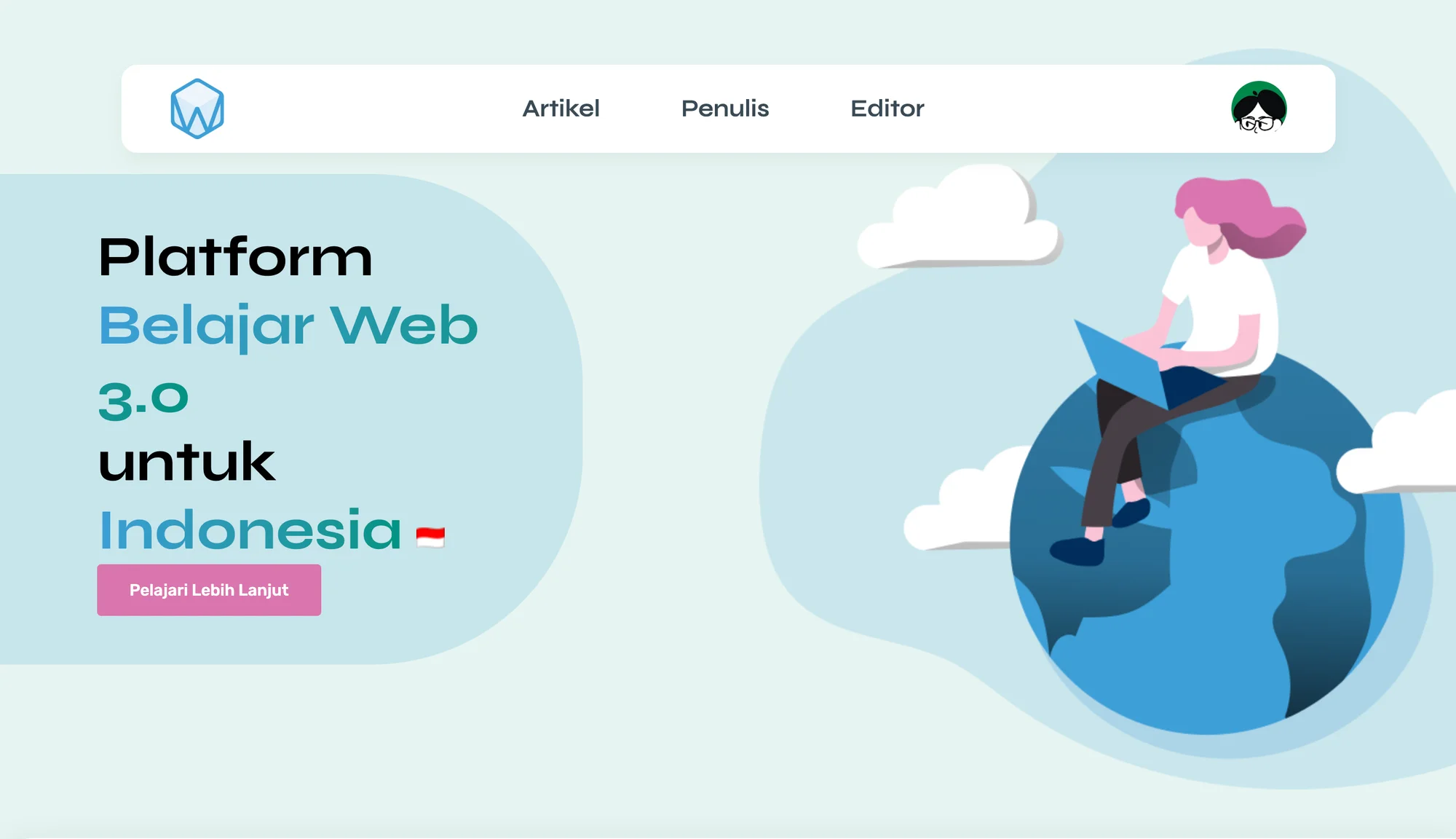
W3B Scholar is a Web3 learning platform for Indonesian developers. Anyone can sign up, write an article about blockchain or decentralised apps, and publish it to a shared library that other readers can search and share. The whole interface is in Bahasa Indonesia, because the people it serves read and work in it every day.
Kevin, now our design engineer, built it in 2022 with four teammates. Kevin's part of the codebase covers most of what a reader touches: the article cards, the article list with search and pagination, the single article page, the share and scroll controls, the author page, and the motion and mobile navigation that tie them together.
The challenge
In 2022, much of the writing about Web3 was in English and spread across personal blogs and project docs. For an Indonesian developer who wanted to learn the basics, the first hurdle was finding material they could trust in their own language. The second was finding other people learning the same thing.
The brief we set ourselves was a community article platform. Readers should reach a useful article in a couple of clicks. Writers should go from an idea to a published post without touching code. Every article should carry a real author with a profile, so readers know who is teaching them.
We also had a few months and five people. The setup had to let everyone work in parallel without stepping on each other.
Our approach
Discovery
The project started from a written proposal and a Figma mockup. We kept the audience narrow and put it on the landing page in plain words. W3B Scholar is for tech enthusiasts and developers in Indonesia who want to go deeper on Web3, so they can compete with developers in other countries.
From there the product split into two sides. The reading side is the landing page, the article library, single articles and author profiles. The writing side covers sign-up, login, the editor and profile settings.
Design
We kept the visual language calm on purpose. The site uses a pale mint background, soft blue shapes, one pink colour for every call to action, and flat illustrations of people reading and working. A newcomer opening a page about blockchain should see something friendly before they see anything technical.
The logo is a hexagon with a W inside it. Article titles use a blue to teal gradient taken from the same palette, so every page reads as one product.
Build
We built W3B Scholar as a responsive web app with Next.js, React and Firebase. Firestore stores articles and user profiles. Firebase Storage holds article thumbnails and profile photos. Firebase Authentication handles email and password sign-in alongside Google sign-in. Styling uses styled-components, motion uses Framer Motion, and the article editor is Quill.
The landing page, the article library and single article pages render on the server. Each request fetches the articles and joins them to their authors before the page reaches the browser, and the landing page shows the first six. If an author record is missing, the article still renders under "Anonymous" instead of breaking. The Quill editor loads only in the browser, which keeps it out of the server render.
We agreed early on a shared folder convention, with common components in one place and page-specific components in another, plus a fixed commit and branch naming scheme. With five people pushing to one repository, that made reviews and merges predictable.
Key features
- Article library with search. Readers filter the full list by title as they type. A "No matching articles" state appears when nothing fits.
- Pagination that stays readable. The library shows six articles per page. A custom pagination hook collapses long page ranges with dots around the current page, so the control keeps the same width as the library grows.
- Single article pages. Each article has a back button, a scroll-to-top button and an author block with photo, name and date. A share button copies the link to the clipboard and confirms with a short "URL Copied!" alert.
- Author profiles. Every writer has a profile page that lists their own articles. Writers can edit their name, company and position, change their password and upload a new photo.
- Browser-based publishing. Signed-in writers open the editor, add a title and thumbnail, write in a rich text editor with headings, lists, quotes and basic formatting, and publish with one button. If a visitor opens the editor without signing in, a modal asks them to log in first.
- Two ways in. Sign-up asks for name, email and password, with optional company, position and profile photo. Readers who would rather skip the form can continue with Google.
What we learned
W3B Scholar was an early project for us, and it shaped habits we still use.
The first is to design the empty and failure states as carefully as the happy path. A community platform starts with no content, so the library, search and author pages all needed a clear message for "nothing here yet".
The second is that a community library depends on its writers. If publishing takes a terminal, a repository or a markdown file, most readers will never become writers. We kept the whole flow in the browser, with a title, a thumbnail and a rich text field, so the step from reader to writer is one form.
The third is that a small team moves faster with agreed conventions than with heroics. A shared component structure and naming rules let five people build one product in parallel and merge without surprises.
Build your learning platform with us
If you are planning a community content platform, a learning hub or any web app where people write and read together, we would like to hear about it. We bring the same care for the reader, the writer and the empty states to every build. Tell us what you are working on and we will show you how we would approach it.